Best IPTV Catch Up Service 2026: Never Miss a Show Again

Have you ever sat down after a long day, ready to watch your favorite show — only to realize it already aired two hours ago? That frustration is exactly what an IPTV catch up service was built to solve.
In 2026, IPTV catch up TV has become one of the most talked-about features in the streaming world. Whether you missed a live sports match, a breaking news segment, or the latest episode of a hit series, catch up IPTV lets you go back and watch it — no recording required.
In this guide, we’ll cover everything you need to know: what IPTV catch up is, how it works, which providers offer it, how to set it up on any device, and how to fix common issues. By the end, you’ll know exactly how to get the most out of your IPTV catch up service in 2026.
Table of Contents
What Is an IPTV Catch Up Service?
IPTV catch up is a feature offered by Internet Protocol Television (IPTV) providers that allows you to watch TV programs that have already aired — without needing to record them in advance. Think of it as a rewind button for live TV.
Instead of being tied to a broadcast schedule, you simply open your app, browse your Electronic Program Guide (EPG), find the show you missed, and press play. The content streams directly from your provider’s server, just like any on-demand video.
“IPTV catch-up TV works like a time machine for your favorite shows. It allows you to watch previously aired programs without needing to record them.” — IPTVRepair.com
IPTV Catch Up Explained in Simple Terms
Here’s the simplest way to think about it:
- 📺 Live TV = You watch the show as it airs, in real time
- 📼 DVR = You set a recording before the show airs and watch it later
- 🕐 Catch Up IPTV = You missed the show, and your IPTV provider already saved it for you — no setup needed
- 🎬 VOD (Video on Demand) = A pre-built library of movies and series, like Netflix
Catch up IPTV sits between live TV and VOD. It’s not a library of old movies — it’s a short-term archive of recently aired TV broadcasts, usually covering the past 3 to 14 days.
Catch Up TV vs. DVR — What’s the Difference?
This is one of the most common points of confusion, so let’s clear it up:
| Feature | IPTV Catch Up | DVR (Digital Video Recorder) |
|---|---|---|
| Setup required? | ❌ No | ✅ Yes — must schedule recordings |
| Hardware needed? | ❌ No | ✅ Often yes |
| Storage location | Provider’s servers | Local device or cloud |
| Rewind / Pause | ✅ Yes | ✅ Yes |
| Skip commercials | Varies by provider | Usually yes |
| Works on mobile? | ✅ Yes | Limited |
| Cost | Included in IPTV plan | Often extra |
The biggest advantage of IPTV catch up over DVR is zero effort. You don’t need to plan ahead, set up recordings, or buy any hardware. Your provider records everything automatically on their end.
IPTV Catch Up vs. Replay TV vs. Time-Shift — Are They the Same?
You’ll often see these three terms used interchangeably, but they have slight differences:
- Catch Up TV — Watching a program after it has fully aired, usually from the EPG
- Replay TV — Similar to catch up; often used by European providers to describe the same feature
- Time-Shift TV — Pausing or rewinding a live stream as it’s happening, typically within a short buffer window (15–90 minutes)
In practice, most IPTV catch up services in 2026 combine all three into one seamless experience. You can pause live TV, rewind a stream mid-broadcast, or go back and watch something from three days ago — all from the same app.
How Does IPTV Catch Up TV Work in 2026?
The Technology Behind Catch Up IPTV
When a live channel broadcasts a program, your IPTV provider records it in real time on their servers. This happens automatically in the background — you don’t do anything. When you want to watch that content later, you access the saved stream just like any other video.
Here’s how the process works step by step:
- Broadcast — A live TV channel airs its scheduled programming
- Automatic Recording — Your IPTV provider captures and stores the stream on their servers
- Storage Window — Content is held for a set number of days (typically 3–14 days)
- EPG Access — The recorded content appears in your Electronic Program Guide with a catch up icon
- On-Demand Streaming — You select the program and it streams directly to your device
Catch up IPTV uses formats like HLS (HTTP Live Streaming), RTMP, and SRT to deliver the saved content. Most providers also use adaptive bitrate technology, which automatically adjusts video quality based on your internet speed — so you get the smoothest possible playback without constant buffering.
The Role of EPG (Electronic Program Guide)
The EPG is the heart of the IPTV catch up experience. It’s essentially a TV schedule built into your IPTV app that shows what’s currently airing, what’s coming next, and — most importantly for catch up — what already aired.
Here’s what to look for in the EPG:
- A catch up icon (usually a clock or rewind symbol) next to eligible programs
- The ability to scroll backwards through past days in the guide
- Shows marked in a different color or labeled “Available” for replay
- A date/time filter to find content from specific days
Not all channels in your EPG will have catch up enabled. This comes down to content licensing agreements — some broadcasters don’t allow their content to be stored and replayed, even for a few days.
How Long Is Catch Up Available?
The replay window varies from provider to provider. Here’s what’s typical in 2026:
| Window Length | Common Among |
|---|---|
| 1–2 days | Budget/entry-level providers |
| 3–7 days | Most standard IPTV plans |
| 7–14 days | Premium IPTV services |
| 14+ days | High-end enterprise/OTT platforms |
Pro tip: When choosing an IPTV provider, always check how many days of catch up they offer and how many channels support it — not just whether the feature exists at all.
Why You Need an IPTV Catch Up Service in 2026
Top Benefits of IPTV Catch Up TV
The demand for IPTV catch up services keeps growing because modern viewers simply don’t want to organize their lives around a TV schedule. Here’s why catch up IPTV is a game-changer:
- ✅ Watch on your schedule — Never plan your evening around an air time again
- ✅ Zero setup — No recording schedules, no DVR hardware, no extra cost
- ✅ Multi-device access — Watch missed shows on your phone, tablet, TV, or laptop
- ✅ Time zone flexibility — Perfect if you’re watching channels from a different country
- ✅ Sports replay — Catch the full match even if you couldn’t tune in live
- ✅ Binge smarter — Catch up on multiple episodes of a series without waiting for VOD
- ✅ Pause and rewind — Full playback controls just like Netflix or YouTube
Who Benefits Most From Catch Up IPTV?
IPTV catch up TV isn’t just for tech enthusiasts — it genuinely improves the viewing experience for all kinds of people:
- 👔 Busy professionals who miss primetime shows due to work hours
- ⚽ Sports fans in different time zones who want to watch F1, Champions League, UFC, or cricket replays
- 👨👩👧 Families with conflicting schedules — everyone watches their favorite shows when it works for them
- ✈️ Travelers and expats following programming from their home country
- 🌙 Night owls and early risers whose active hours don’t match broadcast times
Best IPTV Catch Up Services in 2026
What to Look for in an IPTV Catch Up Provider
Before subscribing to any IPTV service, here are the key factors to evaluate when comparing catch up features:
- Catch up window — How many days of content can you replay? Look for 7+ days
- Channel coverage — How many channels have catch up enabled? More is better
- Stream stability — Aim for providers with 99%+ uptime guarantees
- HD/4K playback — Catch up content should be available in at least HD quality
- EPG quality — A clean, well-organized guide makes navigating catch up content easy
- Device compatibility — Can you access catch up on Firestick, Smart TV, and mobile?
- Customer support — 24/7 support is essential when catch up stops working
- Pricing — Catch up should ideally be included in the base plan, not an add-on
Top IPTV Providers With Catch Up in 2026
Here’s a comparison of top-rated IPTV services with catch up features available in 2026:
| Provider | Catch Up Window | Channels | Stream Quality | Starting Price | Devices |
|---|---|---|---|---|---|
| ILve My IPTV | Up to 7 days | 20,000+ | 4K / FHD | ~$14.99/mo | All major |
| Fast IPTV Service | Up to 7 days | 18,000+ | 4K / FHD | ~$15/mo | All major |
| EVESTV IPTV | 3–7 days | 10,000+ | HD / FHD | ~$12/mo | All major |
| EagleCast TV | Up to 2 days | 8,000+ | HD / FHD | ~$10/mo | All major |
| British IPTV | Up to 14 days | 12,000+ (UK focused) | 4K / FHD | ~$13/mo | All major |
🔗 Looking for a trusted IPTV provider with catch up? Check our full tested list at ilovemyiptv.com for updated reviews and the best deals in 2026.
Important note: Always use a legitimate, licensed IPTV provider. Avoid services that offer thousands of premium channels for suspiciously low prices with no verifiable business details.
Best IPTV Catch Up Service for Sports in 2026
Sports fans have a unique need — replaying a live event you couldn’t watch in real time. Whether it’s a late-night Champions League match, an early-morning F1 race, or a UFC fight that ran past midnight, catch up IPTV is a lifesaver.
When choosing an IPTV catch up service for sports, look for:
- Catch up availability on be IN Sports, Sky Sports, ES-PN, DA-ZN, BT Sport, and similar channels
- A 7-day minimum catch up window (sports events are time-sensitive, but a week is usually enough)
- HD or 4K quality for sports content — SD streams make action sports difficult to watch
- No geo-restrictions on sports channels, or a built-in VPN option
Top pick for sports: Xtreme HD IPTV and Apollo Group TV consistently rank highest for sports channel coverage with catch up enabled.
TV Service
Best IPTV Catch Up Service Provider 2026
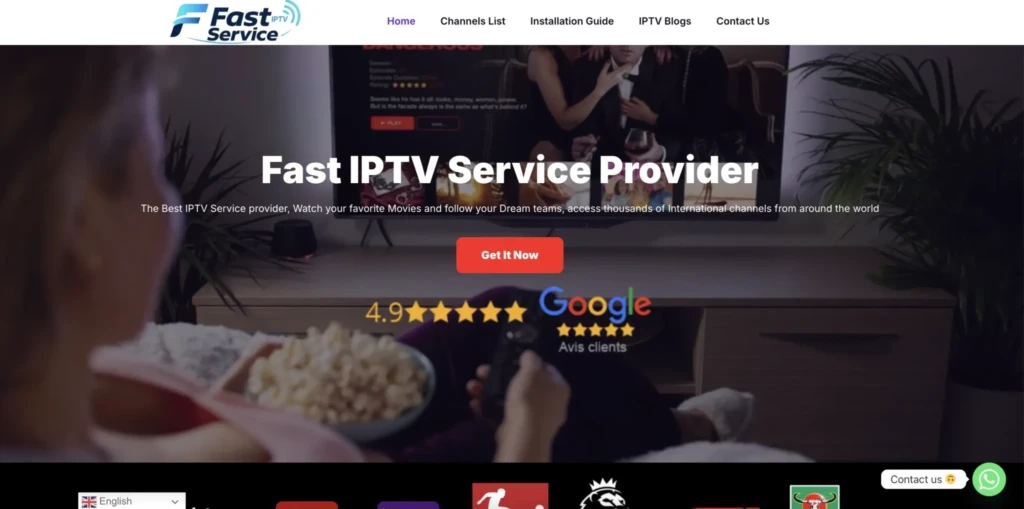
#1 – Fast IPTV Service
Best for Instant Activation and International Sports Coverage
Fast IPTV Service stands out as a premier provider offering a comprehensive 1-day trial that lets you test their full service before committing to a subscription. During our evaluation, we were impressed by the instant activation process and the sheer breadth of sports coverage available during the trial period. The service delivered consistent HD streaming even during peak hours, making it an excellent choice for sports enthusiasts who want to verify quality before purchasing.
Supported Devices: Amazon Fire-Stick, Android devices, iOS, Smart TVs, Windows, Mac
Number of Channels: 25,000+ live channels
Free Trial: 1 Day free trail
Features:
Massive Sports Coverage: Fast IP TV Service provides extensive access to all major sports including Champions League, Premier-League, La Li-ga, Formula 1, Moto GP, N B A, N F L, and N H L. We tested the service during live Champions League matches and experienced zero buffering, even during high-traffic periods. The anti-freeze technology ensures smooth playback when it matters most.
International Channel Selection: With over 25,000 channels primarily from the United States, South America, and Europe, the service offers remarkable diversity. We found channels from multiple countries worked flawlessly during the trial, giving you a true sense of the service’s global reach before you subscribe.
Instant Activation: The trial activation process takes less than 15 minutes after payment. You receive login credentials via email with complete setup instructions for your device. This rapid delivery means you can start testing the service almost immediately, maximizing your trial period.
VOD Library: The service includes a substantial video-on-demand library alongside live channels. During our trial, we accessed recent movies and TV series with quick loading times and excellent video quality, demonstrating the server’s capability to handle both live and on-demand content.
Multi-Device Flexibility: While the trial works on one device at a time, you can install it on multiple devices. This allows you to test compatibility across your Firestick, Smart TV, and mobile devices to ensure the service meets all your viewing needs.
30-Day Money-Back Guarantee: Beyond the trial, Fast IP TV Service offers a 30-day refund policy. This dual-layer protection gives you confidence to test the service fully, knowing you can get your money back if the paid experience doesn’t match the trial quality.
Pros
- Instant activation within 15 minutes
- Extensive sports coverage during trial
- No VPN required (advanced ISP bypass)
- 30-day money-back guarantee
- 24/7 customer support via WhatsApp and email
Cons
- Trial costs : completely free
- Only 1-day testing period
- Single device connection during trial
Subscription Price:
| 1 Month | 3 Months | 6 Months | 12 Months |
|---|---|---|---|
| $10.90 | $25.90 | $36.90 | $59.90 |
Free Trial Available: 1-day trial with full access to all channels and features.
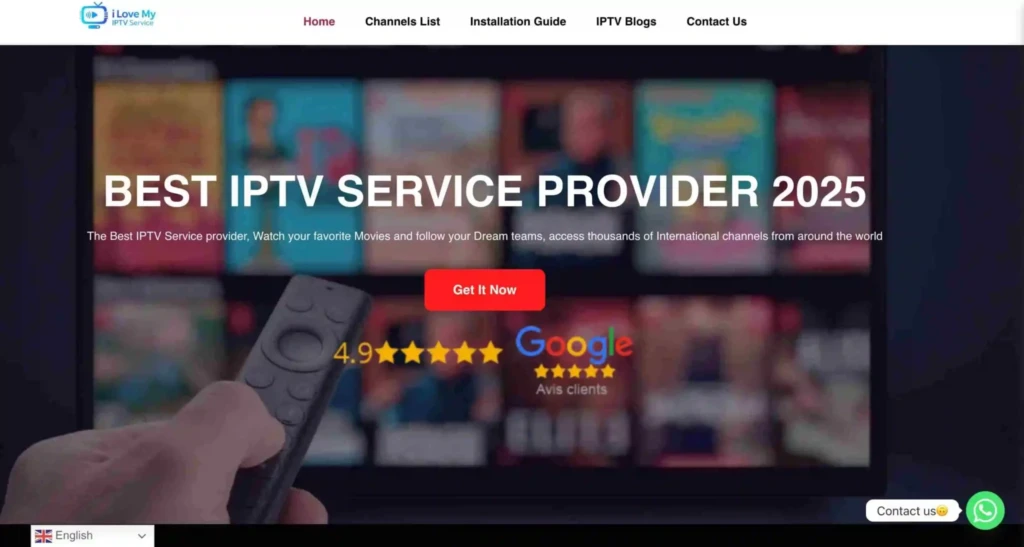
#2 – I Love My IPTV
Best for USA, UK, and Canada Buffer-Free Streaming
I Love My IPTV positions itself as a leading service for North American and British audiences, offering high-quality, buffer-free streaming across multiple regions. While they require you to contact support for trial access, our research indicates they provide comprehensive testing opportunities for serious customers. The service focuses on delivering stable streams for USA, UK, and Canadian channels, making it ideal for viewers in these markets.
Supported Devices: All major devices including Fire-stick, Android, iOS, Smart TVs
Number of Channels: 45,000+ channels
Free Trial: 1 day Free trail
Features:
- Over 45,000 live TV channels, including movies, entertainment and international options.
- Strong sports coverage such as Champions League, La Li-ga, Premier-League, Bund-esliga, Formula-1, Moto GP, N B A, N F L and N H L
- VOD (Video on Demand) library included alongside live TV channels.
- Catch‑Up and EPG (Electronic Program Guide) support for many channels.
- Anti‑freezing technology and 99.99% server uptime for stable streaming.
- Works on many devices and apps, with quick setup using the provided login details.
- No VPN required, as the provider uses its own methods to bypass ISP blocking.
- Blog section with tutorials, provider reviews, troubleshooting tips and optimization advice for IPTV users.
- Free Trial: 1 Day free trail
30-Day Money-Back Guarantee: Beyond the trial, I Love My IPTV offers a 30-day refund policy. This dual-layer protection gives you confidence to test the service fully, knowing you can get your money back if the paid experience doesn’t match the trial quality.
Pros
- Very large channel lineup (45,000+), ideal for users who want US, Canadian, UK and South American content in one place.
- Excellent sports coverage for major leagues and motorsports.
- Money‑back guarantee for 30 days if you are not satisfied with the service.
- 24/7 customer support via chat and email to help with setup or technical issues.
- Compatible with multiple devices and popular IP TV apps, making it easy to use on TVs, boxes, phones or tablets.
- Helpful blog articles that explain setup steps, compare providers and give troubleshooting guidance.
Cons
- One subscription can be installed on multiple devices, but it only works on one device at a time, which may limit large households.
- As with any IP TV provider, long‑term reliability can depend on internet quality and external factors, so users should still test the service first.
- The very large number of channels may feel overwhelming for users who only need a small, focused selection.
Subscription Price:
| 1 Month | 3 Months | 6 Months | 12 Months |
|---|---|---|---|
| $10.90 | $25.90 | $36.90 | $59.90 |
Free Trial Available: 1-day trial with full
Best IPTV Catch Up Service for Movies and Series
For movie and series lovers, the distinction between catch up and VOD matters:
- Catch up = Recently aired episodes of TV series (e.g., a show that aired last Thursday)
- VOD = A curated library of movies and older series available anytime
The best IPTV providers for movies and series combine both features. Look for:
- A VOD library with 10,000+ titles alongside catch up
- Catch up for network TV series (NBC, BBC, ITV, etc.)
- Regular content updates — the VOD library should refresh weekly
- Clear separation between live, catch up, and VOD content in the app UI
How to Set Up IPTV Catch Up on Any Device
How to Use Catch Up on IPTV Smarters Pro
IPTV Smarters Pro is one of the most popular IPTV apps in 2026, and it supports catch up TV out of the box. Here’s how to set it up:
- Download and open IPTV Smarters Pro on your device
- Go to “Add User” and select Xtream Codes API
- Enter your provider’s server URL, username, and password
- Tap “Add User” to save and load your channels
- Open the Live TV section and navigate to the EPG (TV Guide)
- Scroll left (backward) in the EPG to see past programming
- Tap any program marked with a catch up icon (clock symbol)
- Press Play — the show will stream from the beginning
Tip: If catch up icons aren’t showing, go to Settings > EPG Settings and make sure your EPG source is properly loaded and synced.
How to Use Catch Up on TiviMate
TiviMate is widely considered the best IPTV player for Android in 2026, known for its clean interface and excellent catch up support.
- Open TiviMate and go to Settings > Playlists
- Add your IPTV provider’s M3U URL or Xtream Codes credentials
- Wait for channels and EPG to load fully
- In the Live TV tab, press the Guide button to open the EPG
- Use the left arrow or back button to scroll to previous days
- Select a past program and choose Play from the beginning
- Use the timeline bar at the bottom to jump to any point in the program
TiviMate Premium adds even more catch up features, including picture-in-picture while rewinding, which is great for multitaskers.
Setting Up Catch Up on Smart TVs (Samsung / LG)
Smart TV users can access IPTV catch up without any additional hardware:
- On Samsung (Tizen): Install Smart IPTV or IPTV Smarters from the Samsung App Store
- On LG (webOS): Use SS IPTV or sideload an IPTV app via USB
- Open the app and enter your provider credentials (M3U or Xtream Codes)
- Navigate to the TV Guide / EPG section
- Select past content marked with a catch up label
- For best quality, connect your Smart TV via Ethernet cable rather than Wi-Fi
IPTV Catch Up on Firestick — Step-by-Step Guide
The Amazon Fire TV Stick is one of the most popular devices for IPTV catch up in 2026:
- Enable “Apps from Unknown Sources” in Firestick settings (Settings > My Fire TV > Developer Options)
- Install the Downloader app from the Amazon App Store
- Use Downloader to sideload IPTV Smarters Pro or TiviMate (Android APK)
- Open the app and enter your IPTV credentials
- Navigate to the EPG and look for the clock/replay icon on channels
- Select your missed content and press play
For best performance on Firestick, restart the device before streaming and use a Wi-Fi 5 GHz connection or a wired Ethernet adapter.
IPTV Catch Up Compatible Devices in 2026
One of the biggest advantages of IPTV catch up over traditional DVR is device flexibility. Here’s the full list of compatible devices:
Full List of Devices That Support IPTV Catch Up
- 📱 Android smartphones and tablets (via IPTV Smarters, TiviMate, or GSE Smart IPTV)
- 🍎 iPhone and iPad (via IPTV Smarters Pro on iOS)
- 🔥 Amazon Fire TV Stick and Fire TV Cube (most popular for IPTV)
- 📺 Samsung Smart TV (via Smart IPTV or IPTV Smarters)
- 📺 LG Smart TV (via SS IPTV or compatible apps)
- 🍏 Apple TV (via IPTV Smarters or GSE Smart IPTV)
- 🎮 Xbox (via browser-based or sideloaded apps)
- 🟩 Nvidia Shield (excellent Android TV IPTV performance)
- 📦 MAG Box (built-in IPTV portal with catch up support)
- 📦 Android TV Box (ideal for TiviMate and full catch up features)
- 💻 Windows PC / MacBook (via browser or VLC with M3U playlist)
- 🔵 Roku (via third-party IPTV channels available in the Roku Channel Store)
Which Device Is Best for IPTV Catch Up?
| Device | Performance | Ease of Use | Best For |
|---|---|---|---|
| Nvidia Shield | ⭐⭐⭐⭐⭐ | Medium | Power users, 4K streaming |
| Fire TV Stick 4K | ⭐⭐⭐⭐ | Easy | Most users, great value |
| Android TV Box | ⭐⭐⭐⭐ | Medium | Full TiviMate experience |
| Smart TV (Samsung/LG) | ⭐⭐⭐ | Very Easy | Living room viewing |
| iPhone/iPad | ⭐⭐⭐ | Easy | Mobile catch up on the go |
| MAG Box | ⭐⭐⭐ | Easy | Traditional IPTV users |
Best overall recommendation: The Amazon Fire TV Stick 4K Max combined with IPTV Smarters Pro gives the best balance of price, performance, and ease of use for IPTV catch up in 2026.
Common Problems With IPTV Catch Up (and How to Fix Them)
Catch Up Not Working — Top Fixes
If your IPTV catch up isn’t loading or showing no content, try these fixes in order:
- Check channel eligibility — Not all channels support catch up. Look for the clock/replay icon in the EPG
- Refresh your EPG — Go to app settings and force a manual EPG update
- Re-enter your credentials — Log out and re-enter your Xtream Codes API login details
- Clear app cache — Go to device settings, find the IPTV app, and clear its cache
- Restart your device — A simple reboot fixes most temporary streaming issues
- Contact your provider — Some providers disable catch up on certain channels or plans
IPTV Catch Up Buffering or Freezing
Buffering is the #1 complaint about IPTV streaming, including catch up. Here’s how to fix it:
- Check your internet speed — You need at least 25 Mbps for HD and 50 Mbps for 4K catch up
- Switch to Ethernet — A wired connection is always more stable than Wi-Fi for IPTV
- Lower the stream quality — Drop from 4K to FHD or HD temporarily
- Use a VPN — Some ISPs throttle IPTV traffic; a VPN like ExpressVPN or NordVPN can bypass this
- Change your DNS — Try Google DNS (8.8.8.8) or Cloudflare DNS (1.1.1.1) for faster resolution
- Try a different server — If your provider offers multiple servers, switch to a less congested one
Catch Up Content Not Showing in EPG
This is a common setup issue. Here’s how to fix it:
- EPG not updated — In your app settings, find the EPG/TV Guide section and hit “Update” or “Refresh”
- Wrong timezone — Check that your device timezone matches your region in the app settings
- Incorrect EPG source — Make sure your IPTV provider’s EPG URL is entered correctly
- Provider limitation — Your current IPTV plan may not include catch up — check with your provider
Catch Up Window Expired — What Now?
If the catch up window for a show has passed (usually after 7–14 days), here’s what you can do:
- Check the VOD library — Many popular series and shows are moved to the provider’s VOD section after the catch up window closes
- Use a provider with a longer window — Upgrade to a plan or switch to a provider offering 14+ days of catch up
- Request a provider upgrade — Some IPTV services offer extended replay windows on premium plans
- Look for alternative streams — Some channels post full episodes on their official websites
IPTV Catch Up vs. Traditional Streaming Services
IPTV Catch Up vs. Netflix / Amazon Prime
Netflix and Amazon Prime are great — but they don’t offer live TV or catch up for recently aired broadcast content. Here’s how they compare:
| Feature | IPTV Catch Up | Netflix / Prime |
|---|---|---|
| Live TV | ✅ Yes | ❌ No |
| Recently aired shows | ✅ Catch up TV | ❌ Delayed or unavailable |
| Sports (live + replay) | ✅ Yes | Limited |
| Channel variety | 10,000–30,000+ | Curated library |
| News channels | ✅ Yes | ❌ No |
| Price | ~$10–$15/mo | ~$13–$23/mo |
| International channels | ✅ Extensive | Limited |
IPTV catch up fills a gap that Netflix and Prime simply can’t — real-time TV content from broadcast channels, replayed on your schedule.
IPTV Catch Up vs. Cable TV with DVR
| Feature | IPTV Catch Up | Cable TV + DVR |
|---|---|---|
| Hardware required | ❌ None | ✅ DVR box required |
| Setup effort | ❌ None needed | ✅ Must schedule recordings |
| Monthly cost | ~$10–$15 | $60–$120+ |
| Watch on phone/tablet | ✅ Yes | Limited |
| Channel count | 10,000–30,000+ | 200–500 |
| International channels | ✅ Extensive | Very limited |
| Contract required | ❌ Usually no | ✅ Often yes |
The numbers speak for themselves. IPTV catch up offers more flexibility, more channels, and a fraction of the cost compared to cable TV with a DVR add-on.
Is IPTV Catch Up Legal in 2026?
This is an important question, and the answer depends entirely on which provider you use.
- ✅ Legal IPTV catch up comes from licensed providers who have agreements with broadcasters. They pay for the right to store and replay content. Examples include telecom-backed IPTV services and officially licensed streaming platforms.
- ❌ Illegal IPTV refers to unlicensed services that scrape and rebroadcast copyrighted content without paying rights holders.
How to identify a legitimate IPTV catch up provider:
- They have a verifiable business address and contact details
- They display clear terms of service and privacy policies
- They don’t offer thousands of premium channels for $5/month
- They respond to DMCA takedown requests
- They are transparent about which content they are licensed to provide
When in doubt, check our vetted list of trusted services at ilovemyiptv.com to make sure you’re choosing a legitimate option.
Tips to Get the Most Out of Your IPTV Catch Up Service
Optimize Your Internet Connection for Catch Up Streaming
Your IPTV catch up experience is directly tied to your internet connection quality. Follow these tips:
- Minimum speeds: 10 Mbps for SD, 25 Mbps for HD, 50 Mbps for 4K catch up
- Use Ethernet whenever possible — a wired connection reduces packet loss and latency
- Place your router centrally if using Wi-Fi, and connect on the 5 GHz band
- Restart your router weekly to clear memory and maintain peak performance
- Avoid peak hours (7–10 PM) if your ISP throttles bandwidth during high-traffic periods
- Upgrade your plan if you frequently stream 4K catch up on multiple devices simultaneously
Use a VPN With Your IPTV Catch Up Service
A VPN (Virtual Private Network) is highly recommended for IPTV catch up users in 2026:
- Bypasses ISP throttling — Some internet providers slow down IPTV traffic; a VPN hides it
- Unblocks geo-restricted channels — Access catch up content from UK, US, and other regions
- Protects your privacy — Masks your streaming activity from your ISP
- Improves stability in some regions where IPTV connections are unstable
Best VPNs for IPTV catch up in 2026:
- ExpressVPN — Fastest speeds, best for 4K catch up
- NordVPN — Best overall value, SmartPlay feature great for IPTV
- Surfshark — Most affordable, unlimited devices
Organize Your Channels for Faster Catch Up Access
Navigating thousands of channels to find catch up content can be slow if your app isn’t organized. Here’s how to streamline it:
- Mark catch up-enabled channels as favorites in your IPTV app so they appear at the top
- Group channels by category — Sports, News, Entertainment, etc.
- Use EPG search — Most apps let you search the program guide by show name
- Enable notifications (if your app supports it) for upcoming shows you don’t want to miss
- Regularly refresh your EPG — A stale guide leads to missing catch up icons and outdated schedules
Frequently Asked Questions
What is IPTV catch up TV?
IPTV catch up TV is a feature that lets you watch TV programs that have already aired, without needing to record them. Your IPTV provider stores recently broadcast content on their servers, and you access it through your app’s EPG for a set number of days after the original broadcast.
How long does IPTV catch up last?
The replay window depends on your provider. Most standard IPTV plans offer 3–7 days of catch up, while premium providers extend this to 14 days or more. Budget services may only offer 1–2 days.
Does every IPTV provider offer catch up?
No — catch up is a premium feature, and not all providers include it. Even providers that offer catch up may only enable it on select channels. Always confirm catch up availability and window length before subscribing.
Can I use IPTV catch up on my phone?
Yes. IPTV catch up works on both Android and iOS phones using apps like IPTV Smarters Pro, GSE Smart IPTV, and others. As long as your IPTV subscription supports catch up and you have a stable internet connection, you can watch missed content anywhere.
Is IPTV catch up the same as recording TV?
No. With DVR recording, you must set up the recording before the show airs. With IPTV catch up, your provider records everything automatically — you don’t need to do anything in advance. Catch up is effortless by design.
What app is best for IPTV catch up?
The two best apps for IPTV catch up in 2026 are:
- TiviMate — Best for Android / Fire TV Stick, cleanest EPG interface
- IPTV Smarters Pro — Best for cross-platform use (iOS, Android, Smart TV)
Does IPTV catch up work for sports channels?
Yes, and it’s one of the best use cases. Most premium IPTV providers include catch up on major sports channels like Sky Sports, be-IN Sports, ES
PN, and DA-ZN, allowing you to replay full matches, races, or fights you missed. Check with your specific provider to confirm which sports channels support catch up.
How do I know if my IPTV plan includes catch up?
Look for a clock or rewind icon next to channels in your EPG. If no icons appear, check your app settings to confirm the EPG is fully loaded. If still missing, contact your IPTV provider directly and ask whether your plan includes catch up and for how many days.
Can I pause and rewind live TV with IPTV catch up?
Yes. Most IPTV catch up services in 2026 support full playback controls — pause, rewind, fast forward, and replay — just like watching a video on YouTube or Netflix. The time-shift feature also lets you pause a live broadcast and resume from where you left off.
Is catch up available on all IPTV channels?
No. Due to licensing restrictions, some broadcasters don’t allow their content to be stored and replayed. Sports events, news, and entertainment channels from major networks are most commonly covered, but premium movie channels and some live events may be excluded.
Final Thoughts
An IPTV catch up service in 2026 is no longer a luxury feature — it’s a must-have for anyone serious about cutting the cord. Whether you’re a sports fan catching a missed match, a busy parent who missed last night’s episode, or an expat following home-country broadcasts from abroad, catch up IPTV gives you complete freedom over when you watch.
The key is choosing the right provider. Look for a service with a 7–14 day catch up window, broad channel support, stable streams, and a clean EPG interface.
🔗 Ready to find the best IPTV catch up service for your needs? Browse our fully tested, up-to-date provider recommendations at ilovemyiptv.com and start streaming on your schedule today.
Have questions about IPTV catch up? Drop a comment below or share this guide with a friend who’s still tied to their TV schedule!


